|
4 min read
Setting up auto-crawl for your AI Chat: always up-to-date answers
Read more



Good that you chose the WhatsApp widget from Wappy! With a few simple steps, you can install a WhatsApp chat function on your WordPress website and increase the number of inquiries from potential customers.
Last updated: 12 Feb 2026
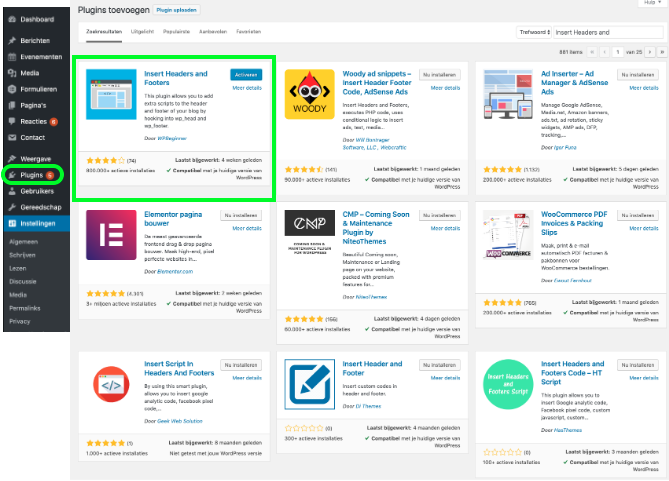
Go to WordPress settings. Search for the plugin ‘Insert Headers and Footers’ and install it. Once the plugin is installed, you can click on activate.
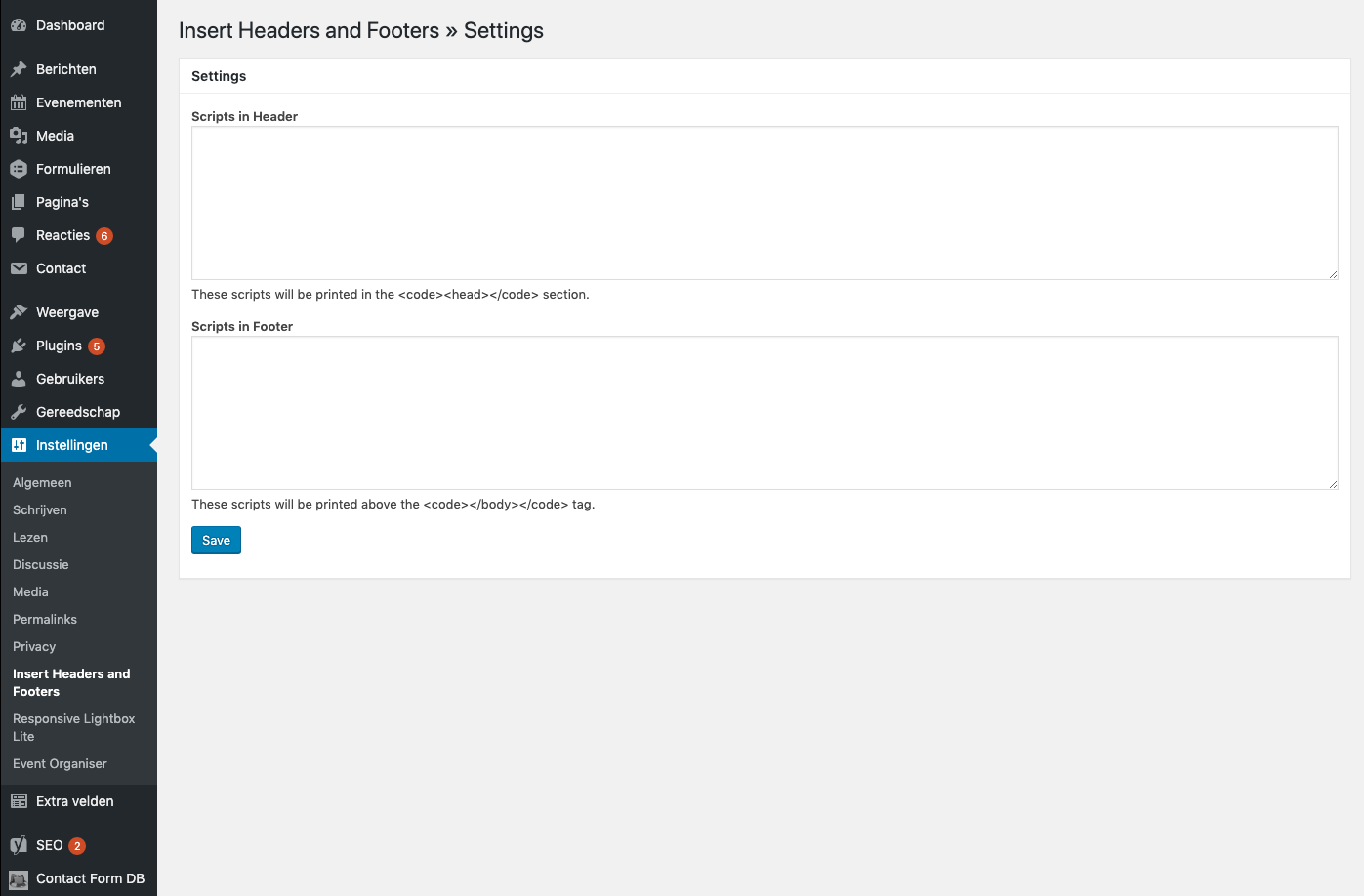
Go now to the settings of the newly installed plugin 'insert Headers and Footers'. Your screen should now look like the image below. Here you will want to paste your implementation code that belongs to Wappy's WhatsApp widget.
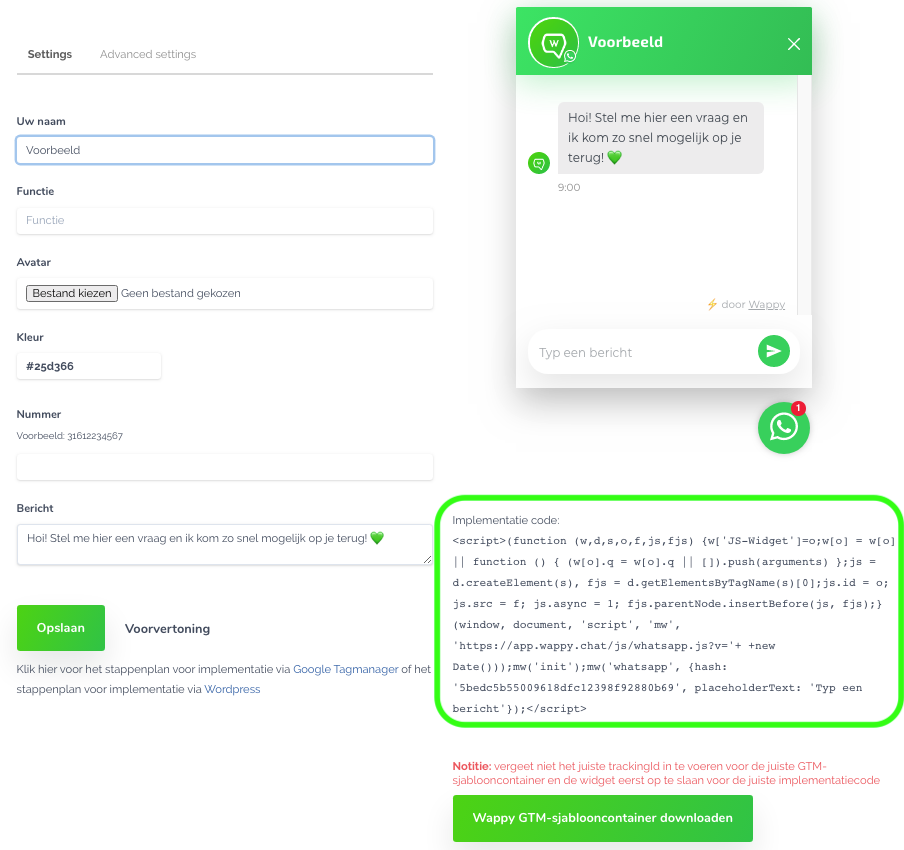
As we mentioned in step 2, we now want to find the implementation code of Wappy. To do this, open your Wappy account. Now go to your widgets. Have you created a widget before? If so, click on it and your screen will look like the one below. You can find the implementation code in the bottom right corner of your screen.
Don't have a widget yet? Then go to 'Widgets' and then to 'create a widget'. You can now fill in the information on the left side of your screen and save it. Once you've done that, you'll see your implementation code in the bottom right corner.
You can now copy your Wappy implementation code.
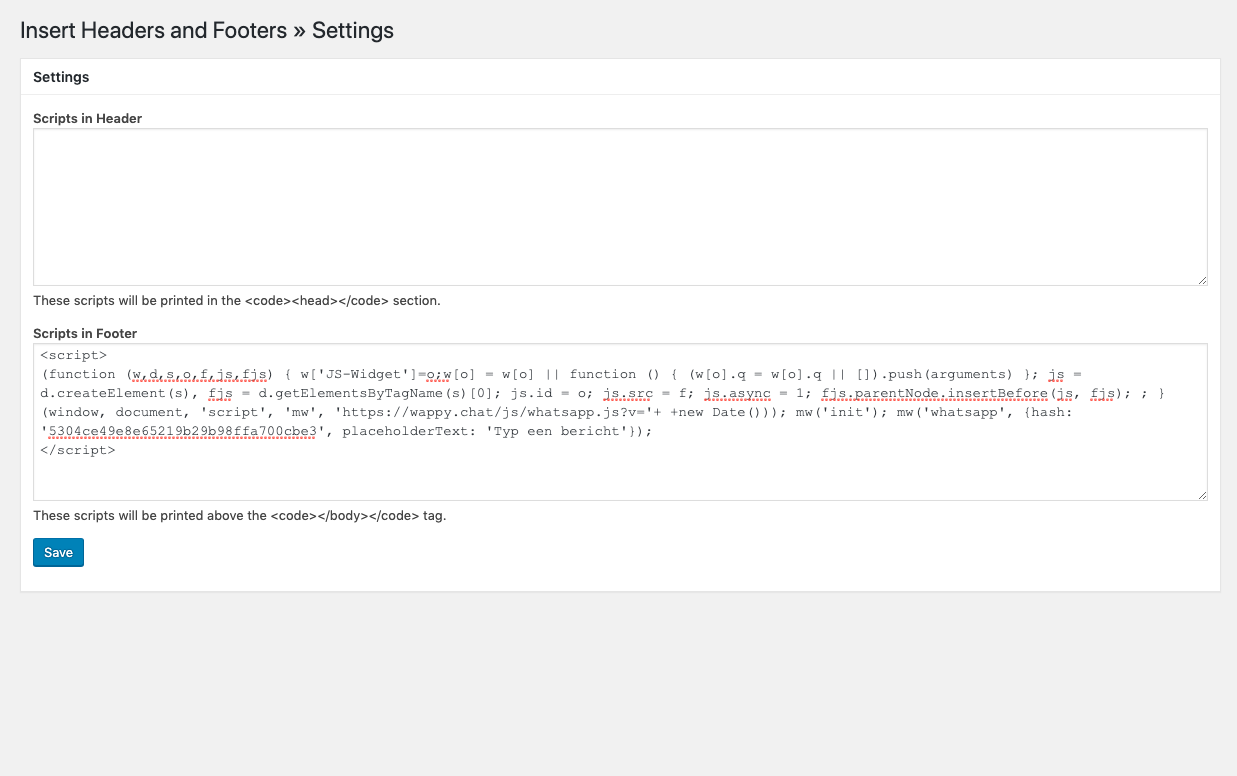
Now we go back to WordPress. Paste the implementation code you just copied into the 'Scripts in Footer' box. Your screen will then look like the image below.
Click on 'Save' and the Wappy chat Widget is installed on your website!
You are now ready to assist your website visitors via WhatsApp.
If you don't have a WordPress website but still want to know how to install Wappy on your own website, check out one of our other guides!

niice
Wappy helps businesses connect with website visitors through WhatsApp. With over 2,400 websites using our widget, we share practical tips on WhatsApp Business and customer communication.
End of this Wappy article🤓



Do you want to try Wappy first? Then we have a free version available for you!
Over 2,400 websites use Wappy for customer contact