|
4 min read
Setting up auto-crawl for your AI Chat: always up-to-date answers
Read more



Good that you chose the WhatsApp widget from Wappy! In this blog, we will help you with installing Wappy on your website. Let's get started quickly!
Last updated: 12 Feb 2026
Before we can start installing the WhatsApp Widget on your Strato website, you first need to design your own Wappy widget.
Have you created a widget before? Then let's move on to the next step!

Log in to your Strato website. Then go to the dashboard and click on 'Start Sitebuilder' to install Wappy's WhatsApp widget.
Now go to the left menu in Strato, click on ‘settings’ and then go to ‘SEO options’.
Click on the tab where you have Wappy open and copy the implementation code that is located under the newly created WhatsApp widget. Paste this code in the box called ‘tracking script’. Then check the button ‘BODY’ and you are ready to proceed.
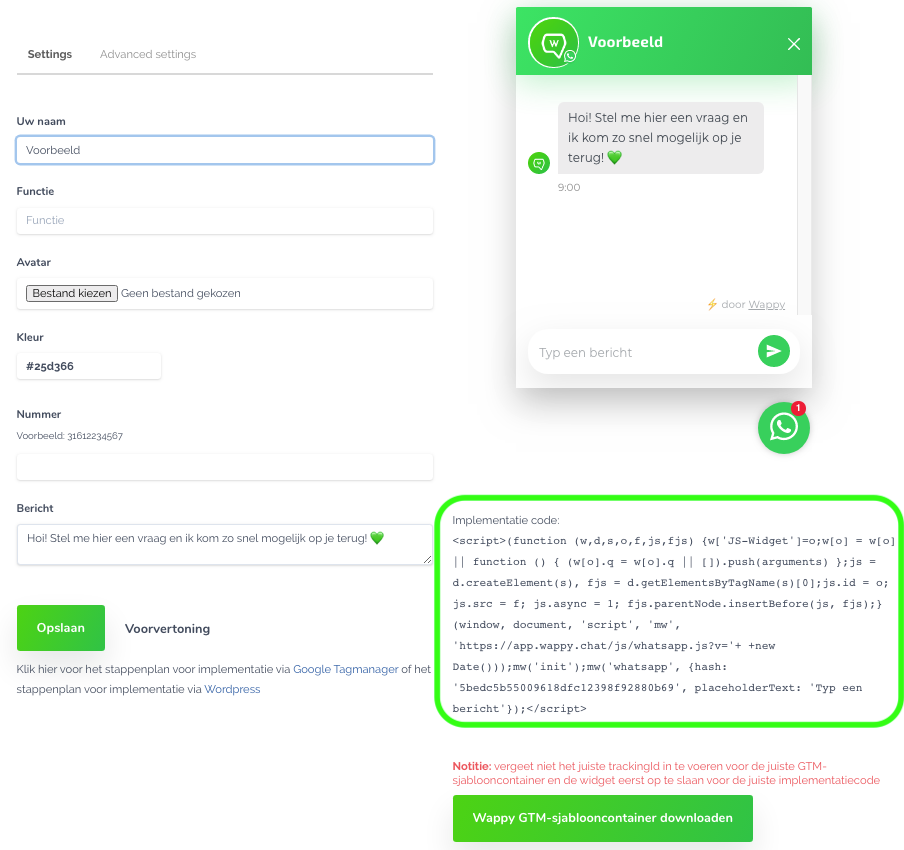
Important: Make sure to place the tracking script in the ‘BODY’ .
When you have pasted the implementation code under the ‘BODY’ section of the Strato dashboard, click on the three dots in the upper right corner. Finally, click on ‘Publish’ and you’re done!
The WhatsApp widget from Wappy is now on your website. You can now have free and easy contact with your website visitors!

niice
Wappy helps businesses connect with website visitors through WhatsApp. With over 2,400 websites using our widget, we share practical tips on WhatsApp Business and customer communication.
End of this Wappy article🤓


Do you want to try Wappy first? Then we have a free version available for you!
Over 2,400 websites use Wappy for customer contact