|
4 min read
Setting up auto-crawl for your AI Chat: always up-to-date answers
Read more



Yes, you have created an account for Wappy and want to get started right away. But how do you proceed? In this guide, we will help you install the WhatsApp widget on your Craft website!
Last updated: 12 Feb 2026
Wappy's WhatsApp widget is easy to implement on your Craft website. To help you do this as easily as possible, we explain two ways in which you can do this. The first way is to add Wappy directly to your website, the second way is by using Google Tag Manager. At the end of this guide, you can determine which method is best for you. If you’re having trouble, don’t hesitate to ask us for help!
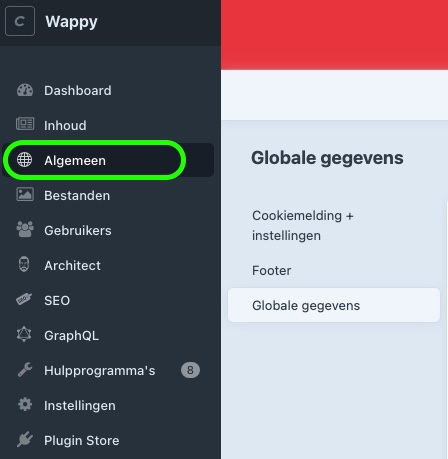
The first way to implement Wappy is through the control panel. Ask your developer to design a global field for your website where you can paste the implementation code of your Wappy widget. This field will then be found under 'general', as shown in the image below.

niice
Wappy helps businesses connect with website visitors through WhatsApp. With over 2,400 websites using our widget, we share practical tips on WhatsApp Business and customer communication.
End of this Wappy article🤓


Do you want to try Wappy first? Then we have a free version available for you!
Over 2,400 websites use Wappy for customer contact