|
4 min read
Setting up auto-crawl for your AI Chat: always up-to-date answers
Read more



When you have a Wappy account, you can make your WhatsApp widget measurable. This measurement consists of two parts. First, it's important to set up the right tags and triggers in Google Tag Manager. We have made this as easy as possible for Wappy Premium users by creating a downloadable template. Don't have Wappy Premium? Feel free to ask us a question! Once your settings in GTM are correct, you can set up conversions in Google Analytics and your widget is measurable!
Last updated: 12 Feb 2026
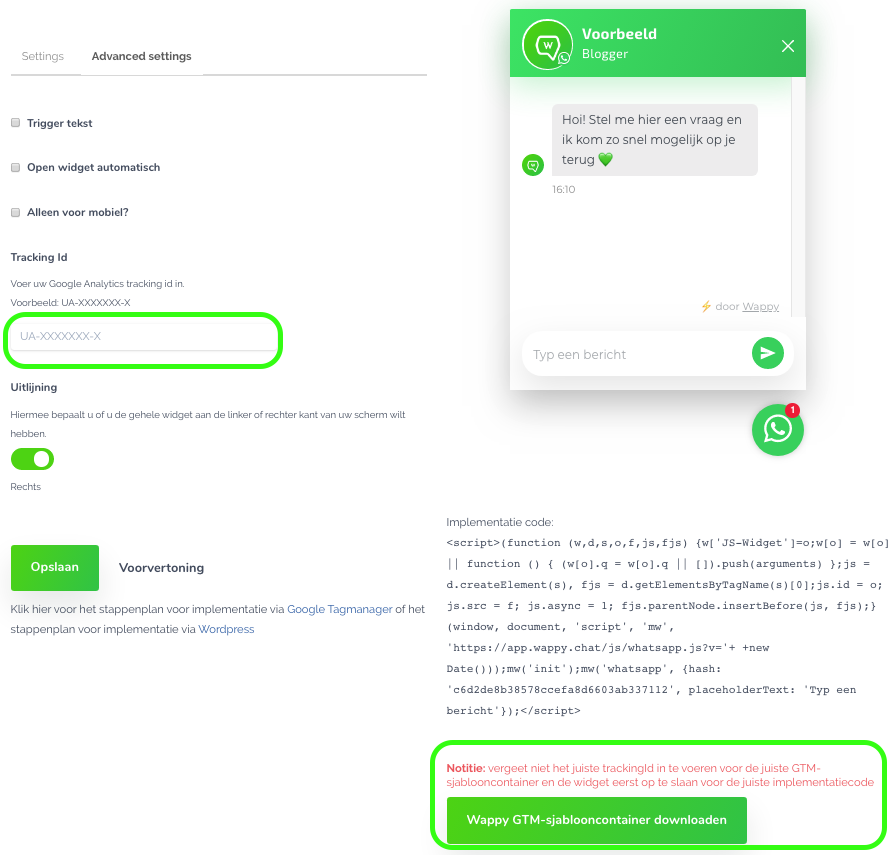
Within your account, you can go to the 'widget' tab and click on the widget you want to make measurable. Go to 'advanced settings' here and enter your Google Analytics Tracking ID on the left side of your screen. Then you can click on the green button at the bottom right to download the Wappy GTM template container.
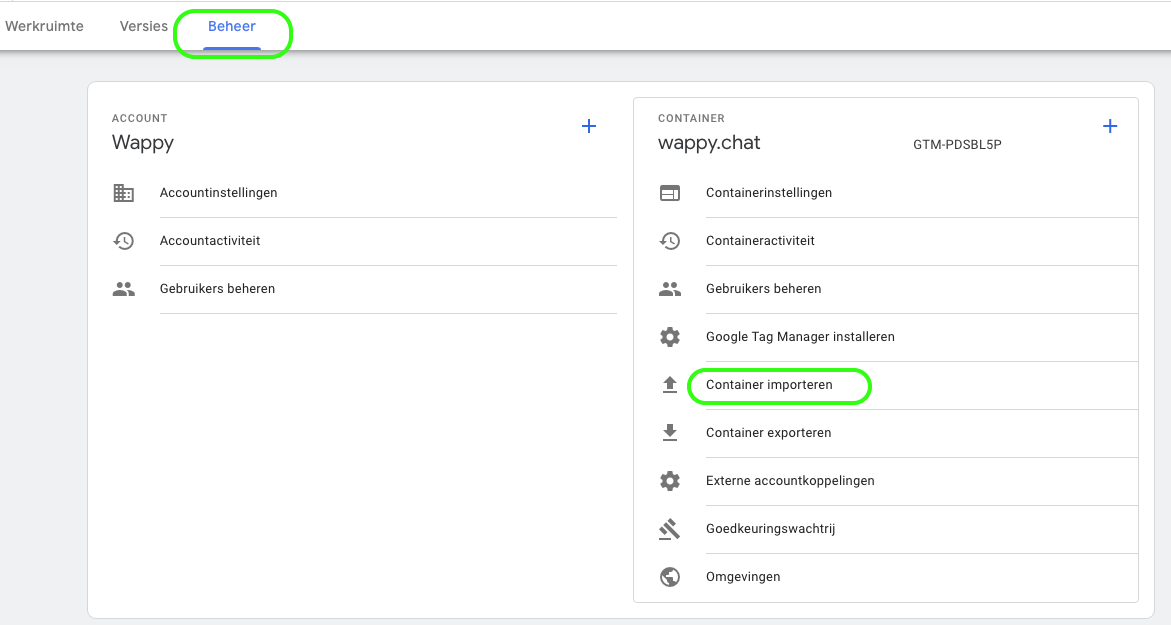
Log in to Google Tag Manager. Now go to 'Admin', where you click on 'Import Container'.
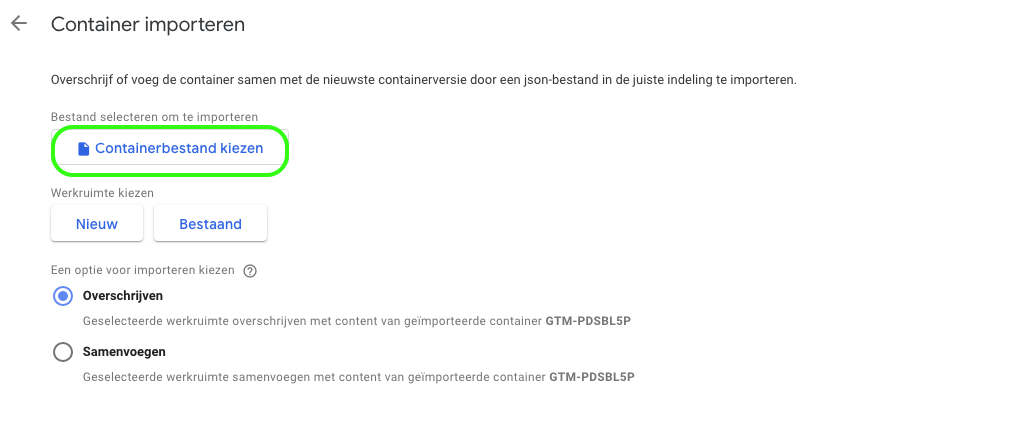
Click the button 'choose container file' and select the file you just downloaded. This is a .json file. Also choose whether you want to add this file to a new workspace or to an existing workspace.
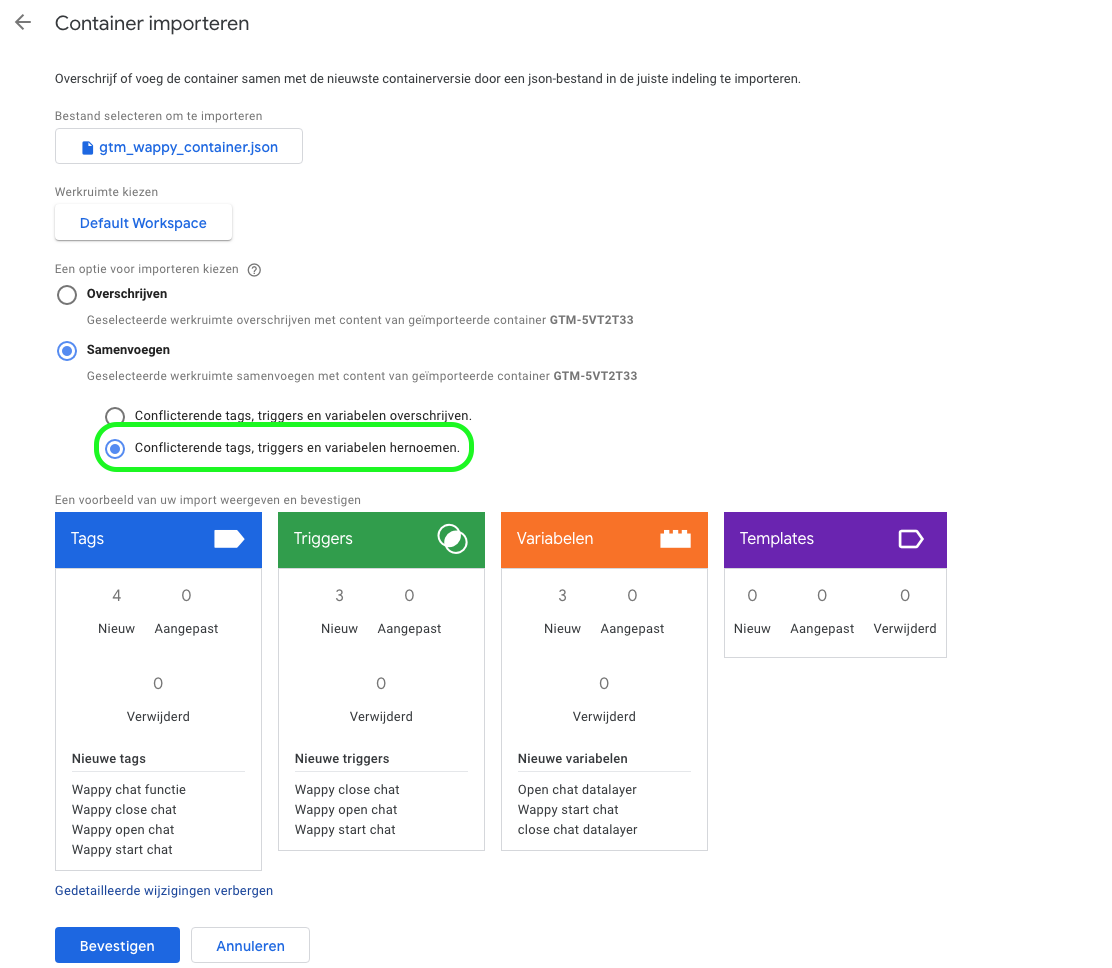
Now choose the button 'merge' and then 'rename conflicting tags, triggers, and variables.' By doing this, you prevent the deletion of any existing components. Click confirm now.
As mentioned, we now want to set up your goals in Google Analytics so that you can track the results of your WhatsApp widget. To do this, log in to your Google Analytics account and follow the two simple steps described below!
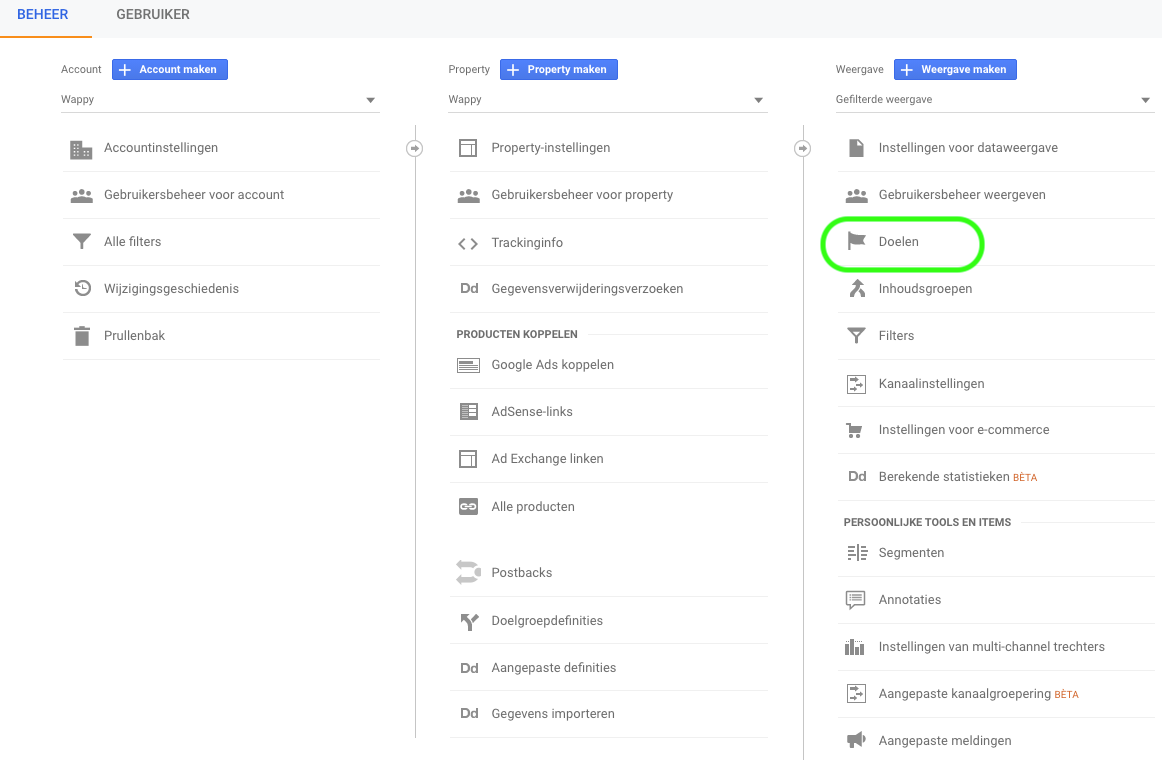
Within the ‘administrator’ tab, you can navigate to ‘goals’. Here you want to create a new goal, click on the red button with ‘+ New Goal’. You will now arrive at the step goal configuration which you want to set to ‘custom’. Now click on continue. In the next step, goal description, give your goal a name and choose ‘destination’ as the goal type.
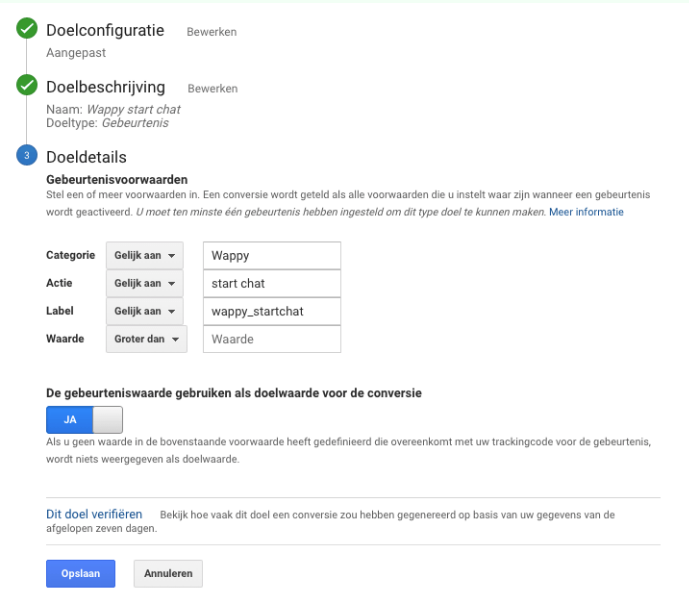
Choose between the three actions that you can measure, namely starting your WhatsApp widget, opening it, and closing it.
To measure the starting of your WhatsApp widget, the settings are shown in the image below. You can directly adopt these. Do you want to make the opening or closing of the chat measurable? Then also adopt the settings, but replace the word 'start' with 'open' or 'close'.

niice
Wappy helps businesses connect with website visitors through WhatsApp. With over 2,400 websites using our widget, we share practical tips on WhatsApp Business and customer communication.
End of this Wappy article🤓


Do you want to try Wappy first? Then we have a free version available for you!
Over 2,400 websites use Wappy for customer contact