|
4 min read
Setting up auto-crawl for your AI Chat: always up-to-date answers
Read more



What great that you want to install your WhatsApp widget on your website! With this guide, we hope to help you integrate the widget in a few simple steps. Let's get started!
Last updated: 12 Feb 2026
You can easily install your WhatsApp widget on your Magento website. Below we provide two ways to do this. You can install your widget directly through your Magento website, or you can choose to create a new tag in Google Tag Manager (GTM). Choose the method you prefer, read the guide, and get started! If you have any questions after reading the guide, do not hesitate to ask us for help.
The first way to integrate your widget is simply through Magento. Follow these five steps and you're ready to chat.
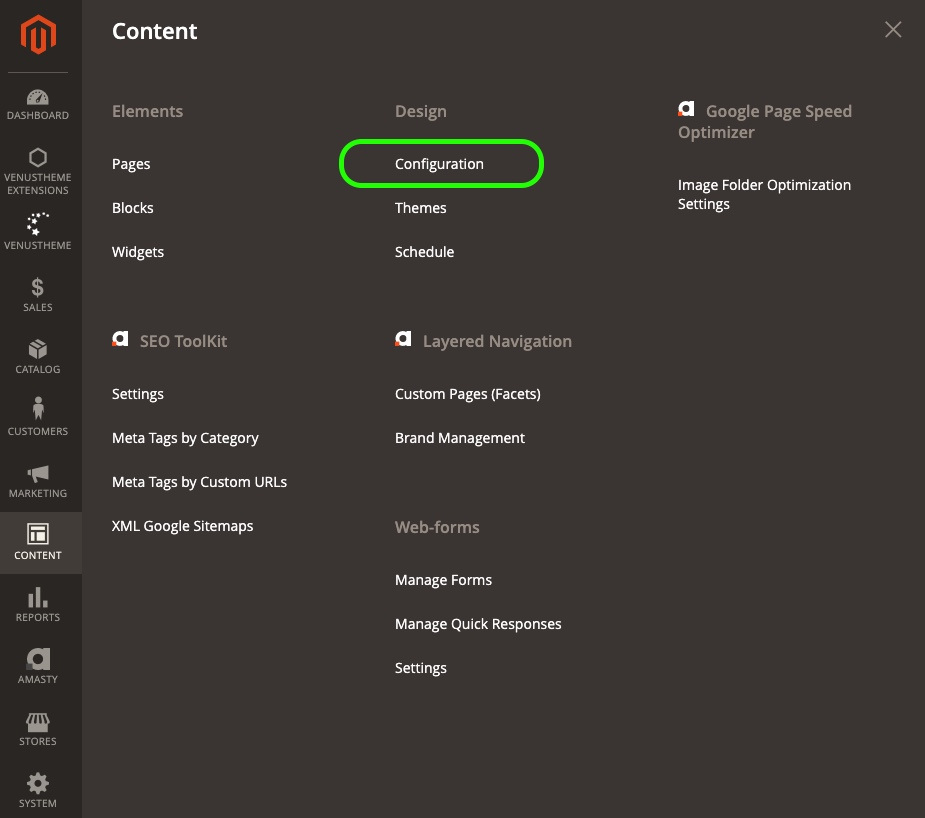
Log in to your website and go to content. Click here, under the heading Design, on 'configuration'.
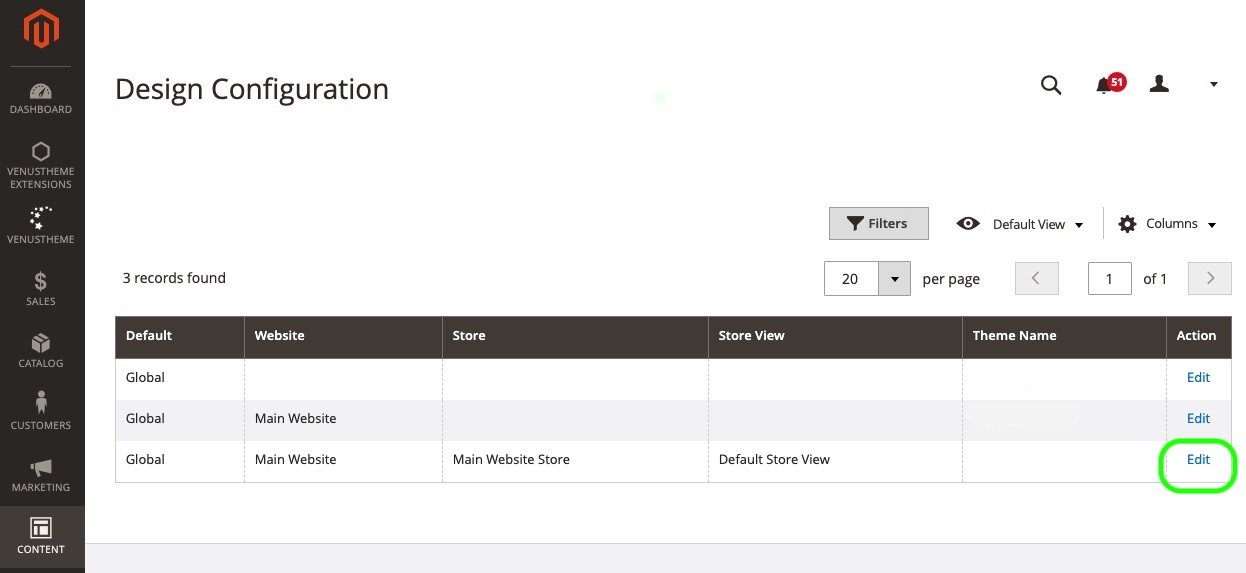
Now you are in the Design Configuration screen. Look for the action 'edit' on the right side of your screen. Click on it.
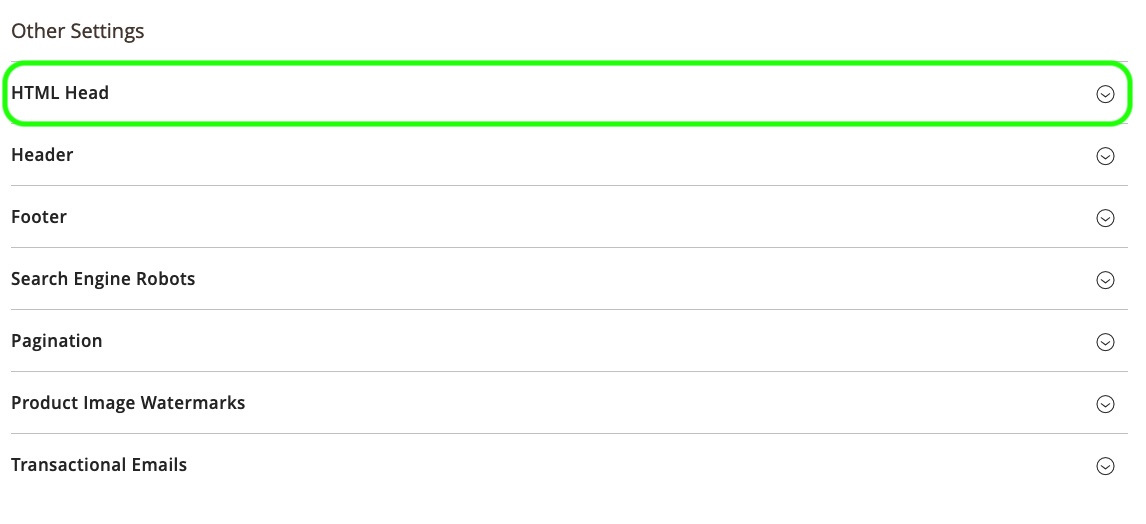
You are now in the Default Store View. Scroll down a bit until you see 'HTML Head' under the heading Other Settings. Click on it.
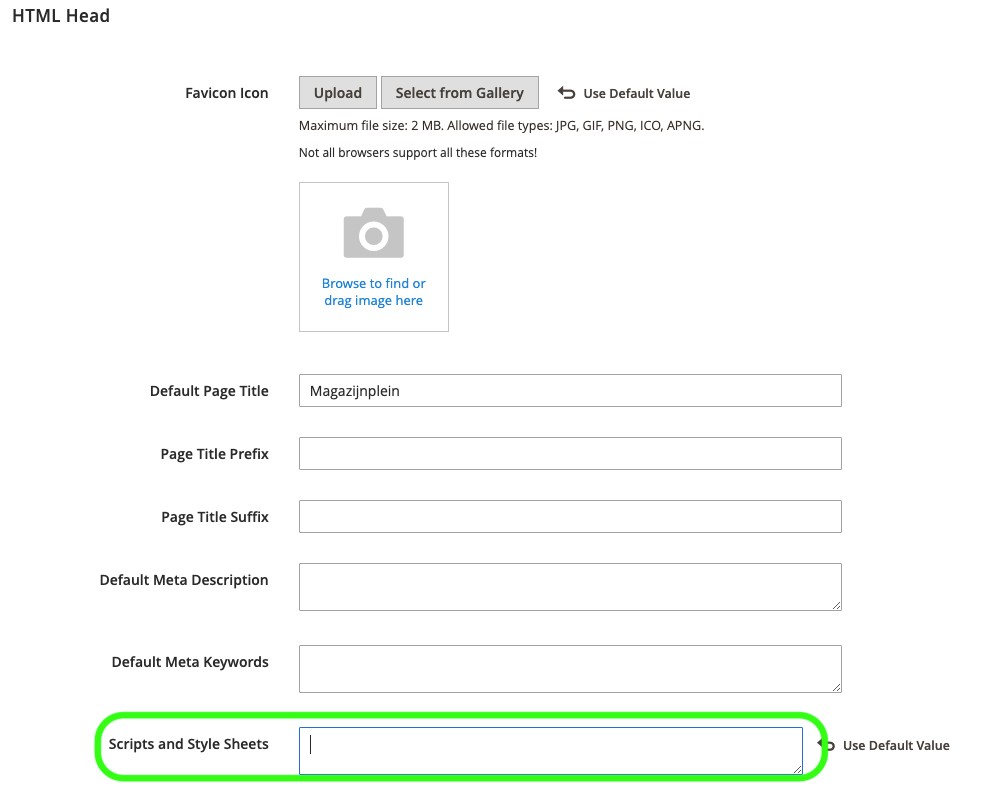
HTML Head now expands and your screen should look like this. Here we want to fill in the implementation code of your WhatsApp widget. First, go to step 4.
Open your Wappy account and go to your widgets. If you have already created a widget, you can click on it. Your screen will then look like the image below. In the bottom right corner of your screen, you will find the implementation code.
Don't have a widget yet? Now is the time to create one! Go to 'widgets' and create a widget. Fill in the information on the left side of your screen and save. Now your screen will also look like the image below.
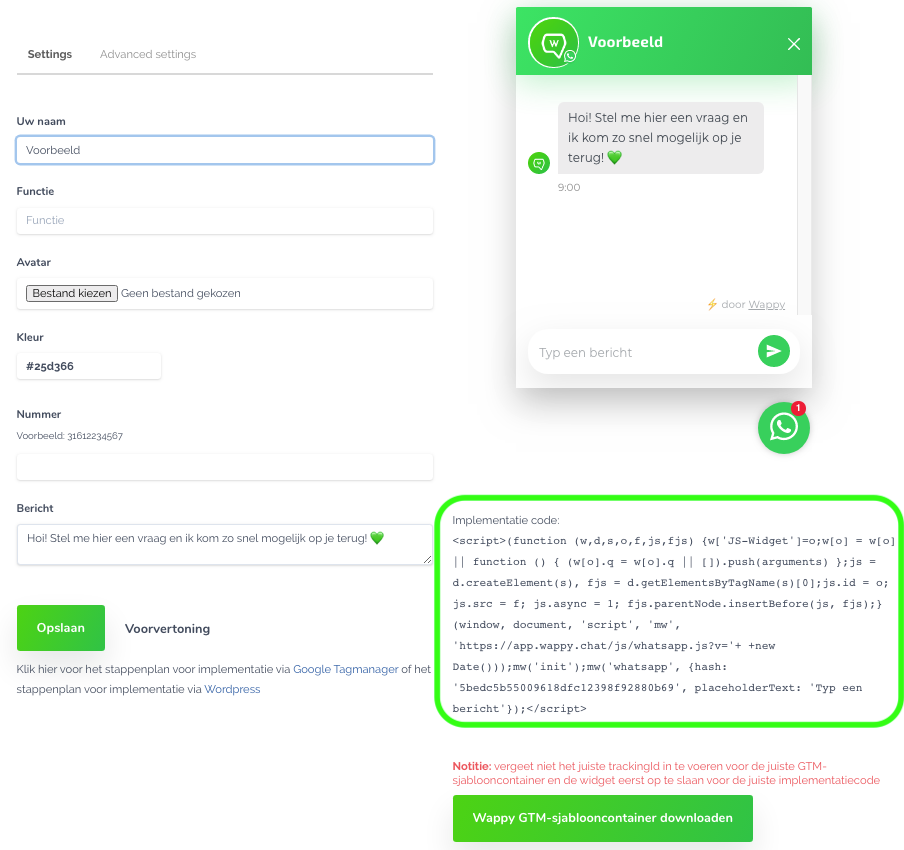
Copy the implementation code, go back to Magento and enter the code. Click on 'save configuration' and you're done!

niice
Wappy helps businesses connect with website visitors through WhatsApp. With over 2,400 websites using our widget, we share practical tips on WhatsApp Business and customer communication.
End of this Wappy article🤓


Do you want to try Wappy first? Then we have a free version available for you!
Over 2,400 websites use Wappy for customer contact