|
4 min read
Setting up auto-crawl for your AI Chat: always up-to-date answers
Read more



Nice that you chose Wappy as your WhatsApp widget! With the step-by-step plan below, you can easily install the chat function on your website via Google Tag Manager (GTM) and make it even easier for your customers to contact you!
Last updated: 12 Feb 2026
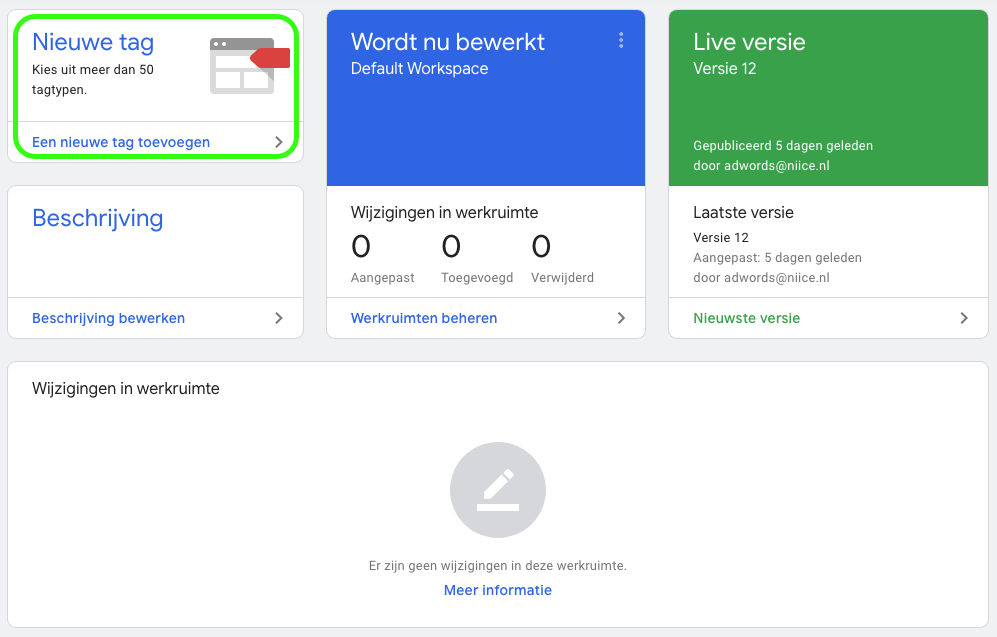
Installing Wappy starts with logging into your Google Tag Manager account. If you don't have an account yet, we explain how to get started with GTM in this guide. Once logged in, you will enter the workspace and your screen will look like this. Click on the button in the top left that says 'add a new tag'.
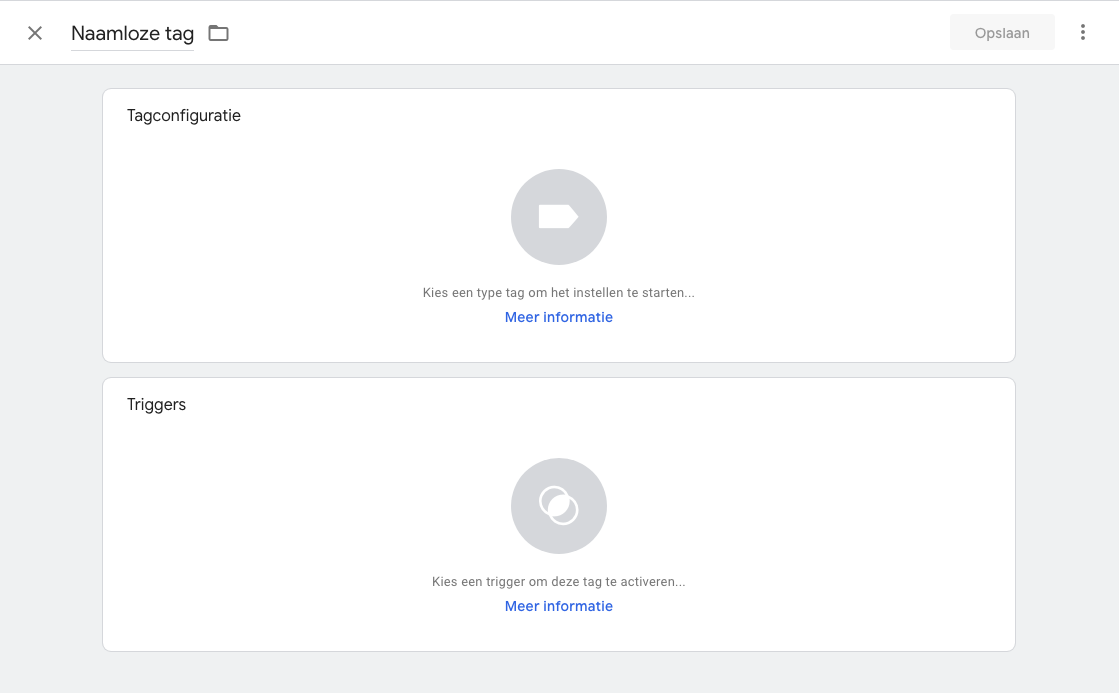
Your screen now looks like the image below. As you can see, your tag automatically gets the name 'unnamed tag'. First, change this to an appropriate name, for example 'Wappy Chat'. Then click on the 'Tag Configuration' button to further configure the tag.
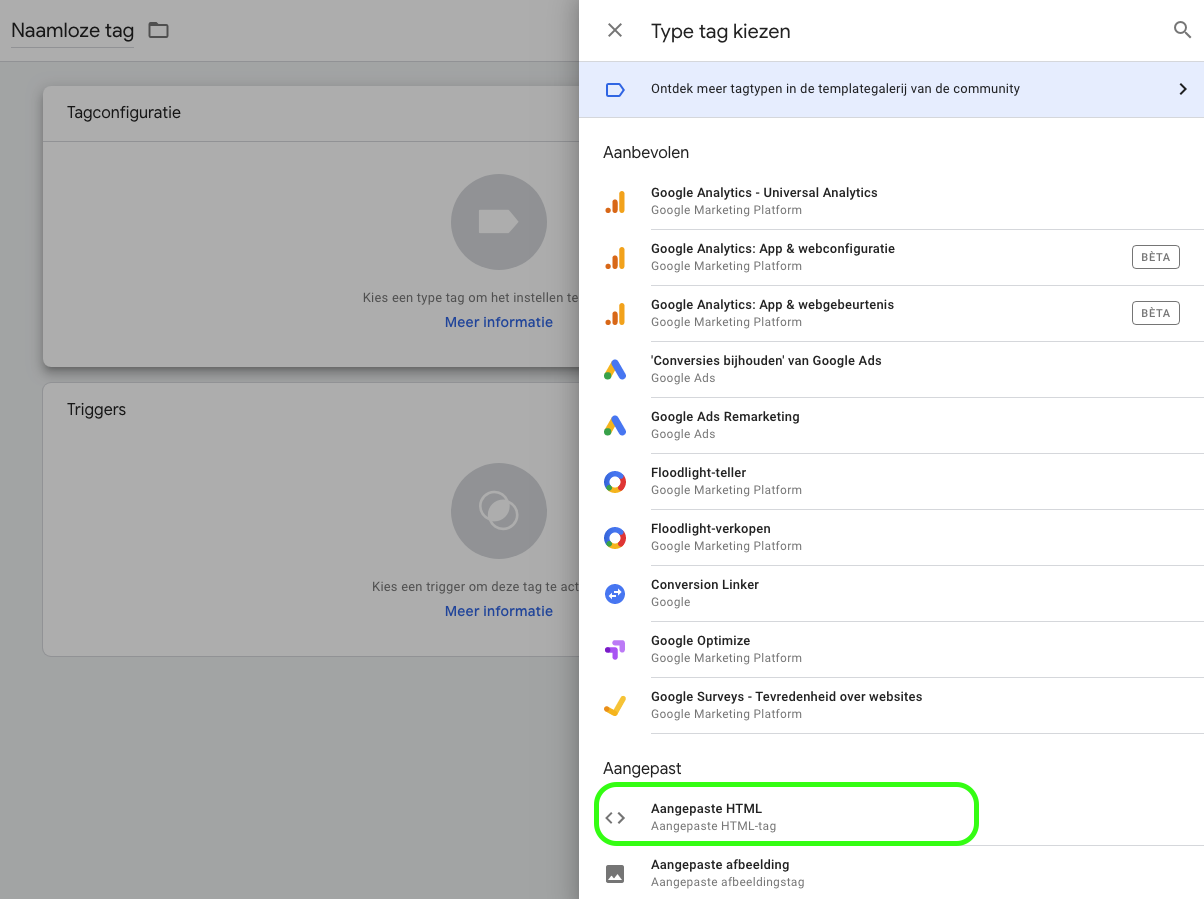
On the right side of your screen, you can now see a dropdown menu with recommended types of tags, among other things. If you look a little further down, you will see 'Custom HTML', click on this. Here you will want to insert the implementation code from Wappy.
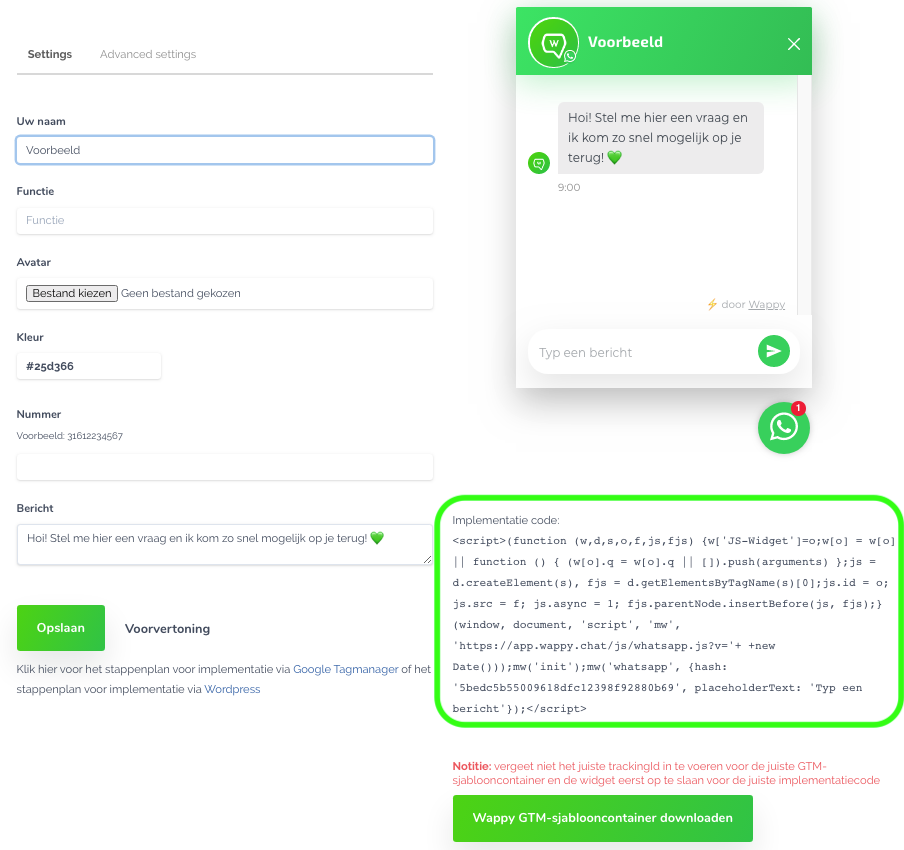
To insert the implementation code of Wappy, we first go to your Wappy account. Click on your widget and your screen will look just like the image below. You can find your implementation code in the bottom right corner.
Don't have a widget yet? Then go to ‘widgets’ and then to ‘create a widget’. Here you can fill in the requested information on the left side of the screen and save it. Now you too will see your implementation code in the bottom right corner of your screen. Now copy the implementation code.
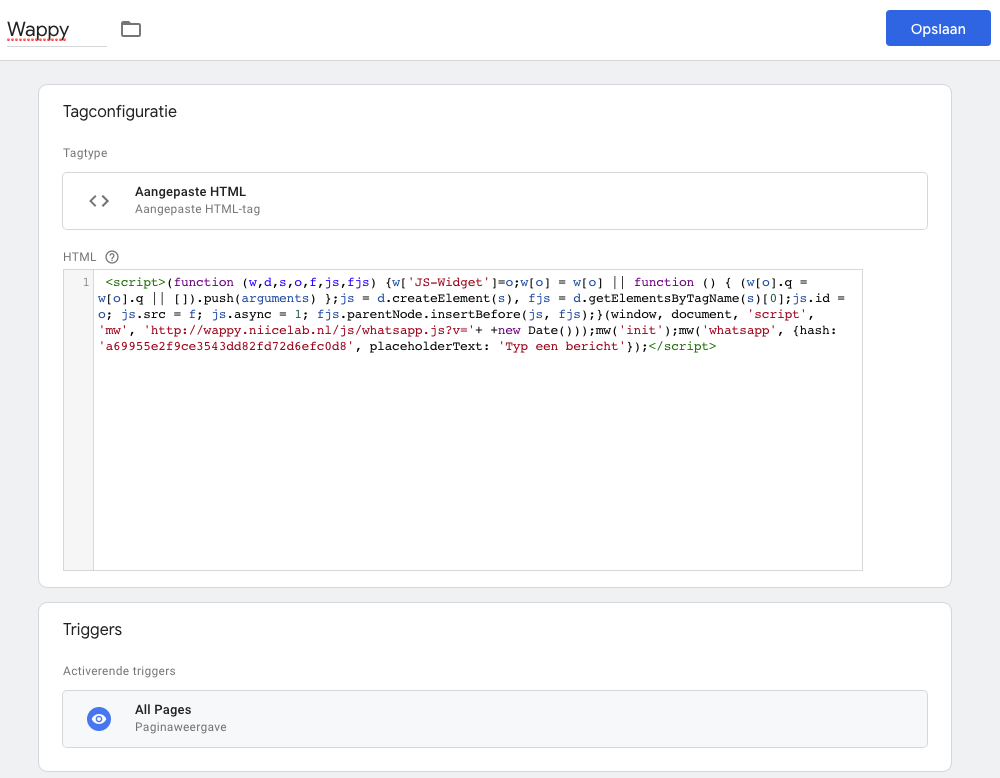
Go back to Tag Manager and paste the implementation code you just copied into the HTML box. Then select the trigger 'All Pages' and save it.
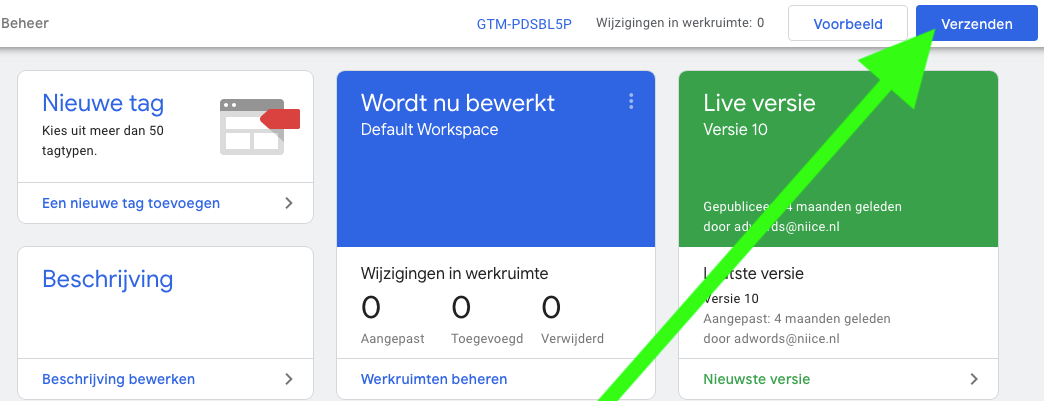
Now you just need to click send at the top right of your screen and your widget is implemented! You are now ready to communicate with your website visitors via WhatsApp.
Then go for Wappy Premium or Wappy Partner! With this, you can among other things make the results of the widget measurable. Other differences between the widgets and benefits of Wappy Premium can be found here.
Do you want to add your Wappy WhatsApp widget to your website, but would you prefer not to do this via Google Tag Manager? Then take a look at our other guides.

niice
Wappy helps businesses connect with website visitors through WhatsApp. With over 2,400 websites using our widget, we share practical tips on WhatsApp Business and customer communication.
End of this Wappy article🤓


Do you want to try Wappy first? Then we have a free version available for you!
Over 2,400 websites use Wappy for customer contact