|
4 min read
Setting up auto-crawl for your AI Chat: always up-to-date answers
Read more



If you have chosen to create a WhatsApp Business account for your company, you will face a choice when installing the app. You need to verify your number, but do you want to use the number you use for WhatsApp Messenger for your WhatsApp Business account, or do you want to use a different number?
Last updated: 12 Feb 2026
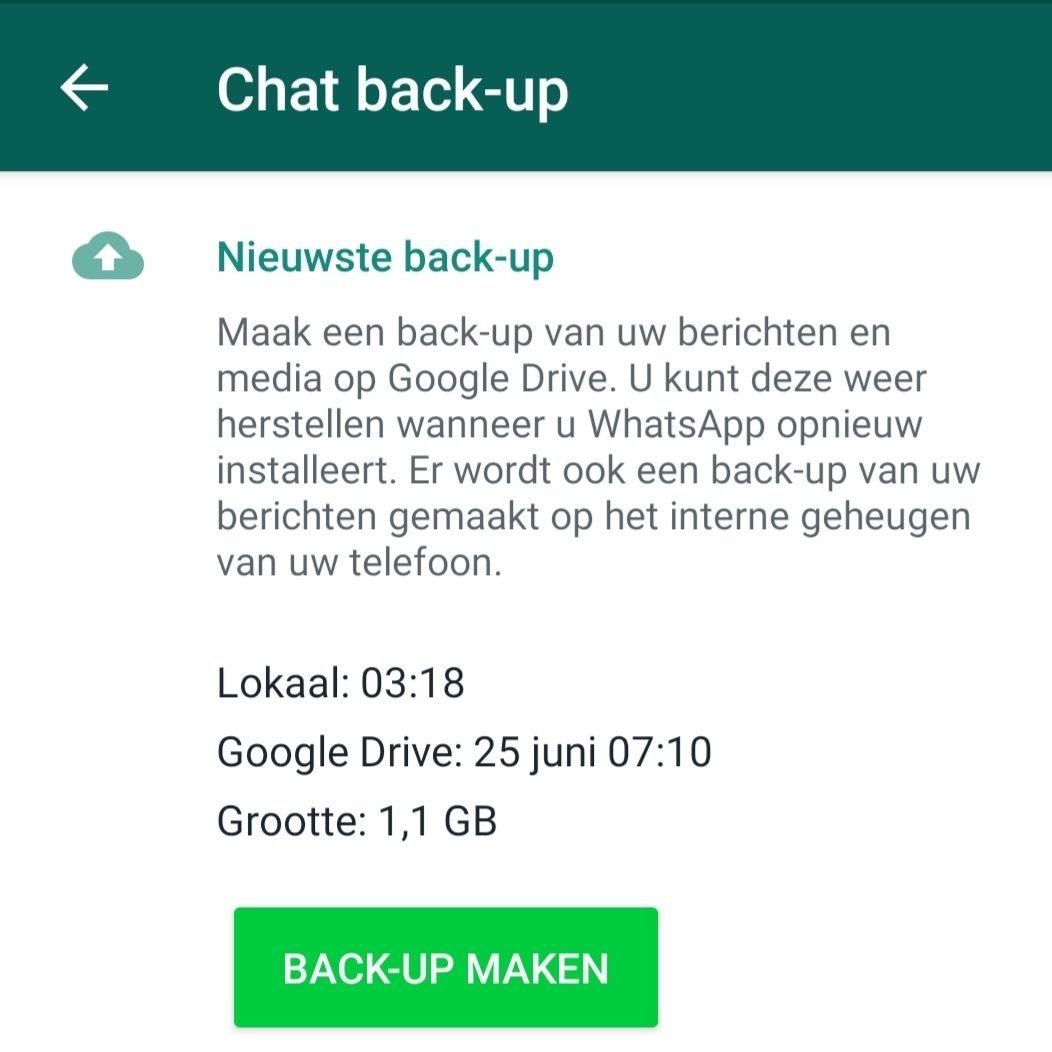
Do you choose to use the number that you use for your WhatsApp Messenger account? Then it is wise to first make a backup of your Messenger account. If you do not do this, you could lose your entire chat history. Below you can read how to make a backup.
After you have made a backup of your WhatsApp Messenger account, you can open WhatsApp Business. The app wants to verify your number and automatically registers the number you use for WhatsApp Messenger. You can proceed by clicking on the option with your business number. Now WhatsApp will transfer your account, keep your phone on until the transfer is complete. If prompted whether you want to restore your backup, click continue or restore and you can move on. Once transferred, you can use your WhatsApp Business account! Set up your business profile and automated messages and start a conversation!
iPhone
Open WhatsApp Messenger and go to settings from your chat screen. Now click on Chats > Chat backup > Back up now.
Android
Open WhatsApp Messenger and click on the three dots at the top right of your screen. Now click on settings > Chats > Chat backup > Back up
If your company is already using WhatsApp Messenger, then switching to WhatsApp Business is very simple. After verifying your number, you can choose to keep and transfer all media, chat preferences, and your chat history from WhatsApp Messenger to WhatsApp Business. Very convenient, of course!
However, if you want to install WhatsApp Business on the same mobile phone that you use for your private WhatsApp conversations, it is good to know that there is currently no support for restoring information from WhatsApp Business back to WhatsApp Messenger. After transferring your account, you cannot go back without losing all your data.
Fortunately, there are other options for creating a WhatsApp Business account. If you have a dual SIM mobile, you can use one SIM card for WhatsApp Messenger and the other for WhatsApp Business. When verifying your number for WhatsApp Business, you can easily provide the number of your second SIM card. How to install WhatsApp Business further on your mobile can be read here.
You can also link your WhatsApp Business account to a landline number. The requirements for a number that WhatsApp provides are that you must be the owner of the number and that you must be able to receive calls or text messages on this number. So if you use a landline number for your business and can receive calls with it? Then you can use the same number for WhatsApp Business!

niice
Wappy helps businesses connect with website visitors through WhatsApp. With over 2,400 websites using our widget, we share practical tips on WhatsApp Business and customer communication.
End of this Wappy article🤓

Do you want to try Wappy first? Then we have a free version available for you!
Over 2,400 websites use Wappy for customer contact